Skip to main content Skip to main navigation menu Skip to site footer
National interest
  • Register
  • Login
  • Current
  • Archives
  • About
    • About the Journal
    • Submissions
    • Editorial Team
    • Contact
  1. Home /
  2. Archives /
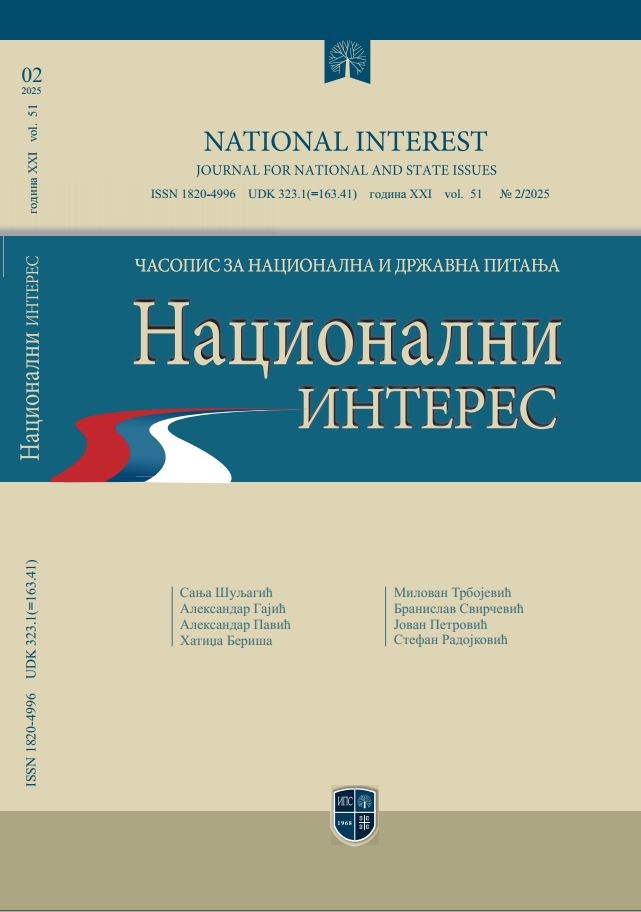
  3. Vol. 51 No. 2 (2025): FROM MODERN NATION-BUILDING TO POSTMODERN COMMUNICATION AND SECURITY PHENOMENA

Published: 2025/07/06

Full Issue

  • PDF (Srpski)

Scientific papers

    • PDF
    ON THE INFLUENCE OF IDEOLOGICAL AND GEOPOLITICAL DOCTRINES OF THE WEST ON THE FORMATION OF A MODERN SERBIAN STATE
    Sanja Šuljagic
    • PDF
    CRITICAL REVIEW OF SPENGLER’S POLITICAL BOOK “PRUSSIANISM AND SOCIALISM”
    Aleksandar Gajic
    • PDF
    STRATEGIC COMMUNICATIONS – THEORY AND DEVELOPMENT
    Aleksandar Pavić, Berisa Alil Hatidza
    • PDF
    CORPORATE SECURITY AND SUSTAINABLE ENERGY DEVELOPMENT
    Milovan Trbojević, Branislav Svirčević
    • PDF
    MAXIMUM COVERAGE MODEL IN FUNCTION OF OPTIMIZATION OF POLICE RESOURCES
    Jovan M Petrović

Scientific reviews

    • PDF
    STEPINAC ON SERBS AND GENOCIDE 1934–1943.
    Stefan Radojković
Language
  • Srpski
  • English
MAKE A SUBMISSION
Information
  • For Readers
  • For Authors
  • For Librarians
© Copyright 2025. Centre for Evaluation in Education and Science

This field is required.
Close  
Ensuring a Blind Peer Review

To ensure the integrity of the blind peer-review for submission to this journal, every effort should be made to prevent the identities of the authors and reviewers from being known to each other. This involves the authors, editors, and reviewers (who upload documents as part of their review) checking to see if the following steps have been taken with regard to the text and the file properties:

  1. The authors of the document have deleted their names from the text, with Author and year used in the references and footnotes, instead of the authors' name, article title, etc.;
  2. With Microsoft Office documents, author identification should also be removed from the properties for the file (see under File in Word), by clicking on the following, beginning with File on the main menu of the Microsoft application: File > Save As > Tools (or Options with a Mac) > Security > Remove personal information from file properties on save > Save.
  3. With PDFs, the authors' names should also be removed from Document Properties found under File on Adobe Acrobat's main menu.